PROS Fare Finder Map
Designed and shipped a flight map tool for travelers to explore and to be informed in order to book their next trip.
ROLE
UX Design Intern
TIMELINE
Jun – Sep 2025
TEAM
Fare Finder Team
TOOLS/SKILLS
Figma, Figma Make
1.
Prompt

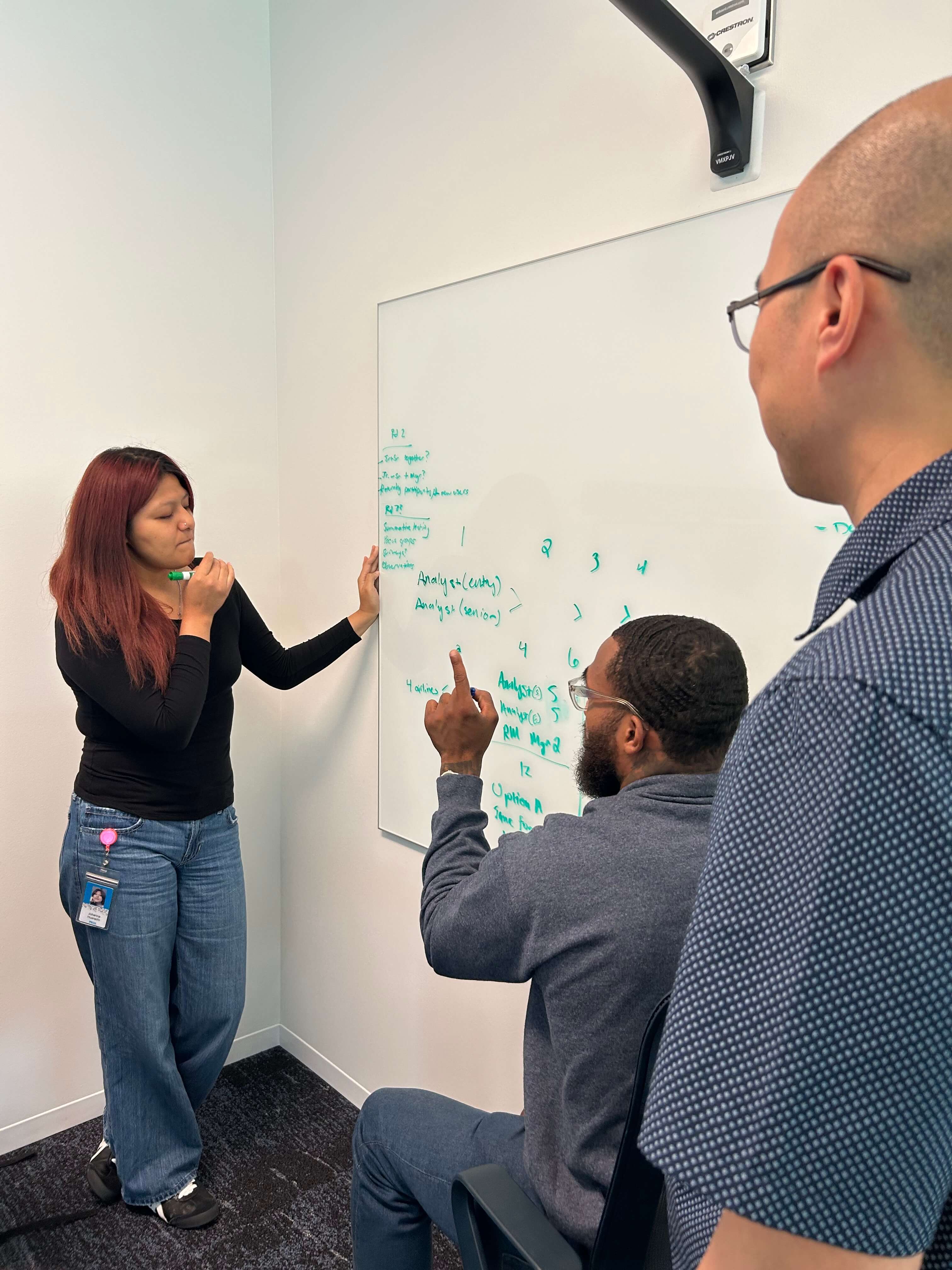
UX Design Internship @ PROS
This past summer, I interned at PROS, a B2B software company providing digital products for airlines and the travelers they serve. One of the projects I worked on was Fare Finder Map, an interactive flight map-based tool that showcases flight fares.
A Junior Designer and I co-led the redesign of the Fare Finder Map to better support free exploration and provide personalized recommendations for everyday travelers.
Precedent Fare Finder
Friction in flight discovery = fewer bookings.
Flight discovery is the first touchpoint travelers have when planning a trip. Across flight exploration platforms, personalized results and travel-related support have become standard.
When the direct booking experience on an airline's site falls short of that, travelers go elsewhere and airlines lose those direct bookings.
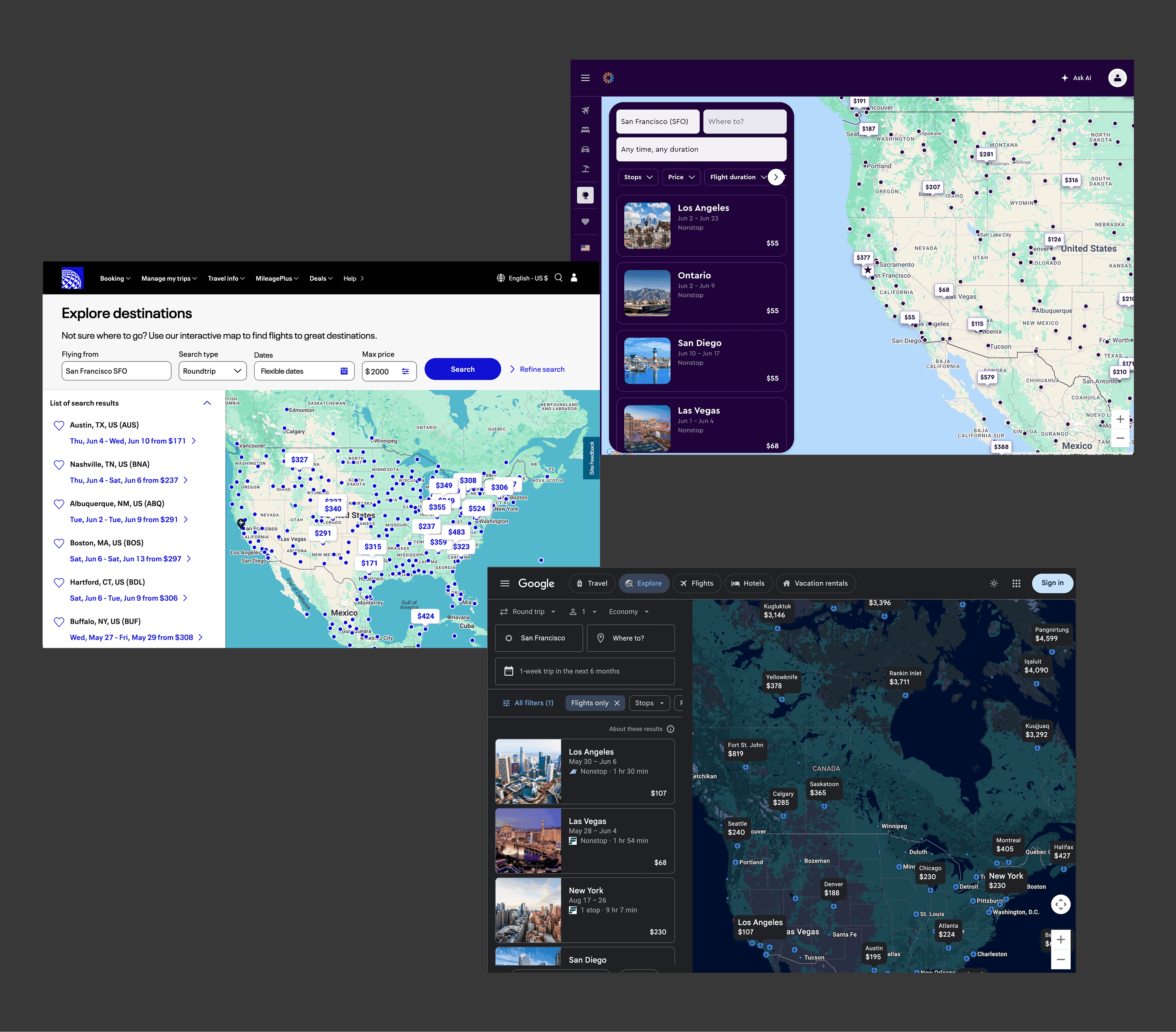
Booking solutions on the market
THE CHALLENGE
How might we redesign the Fare Finder Map to make flight exploration more supported and personalized?
2.
Solution Preview
TL:DR
A new way to find your next flight destination
Fare Finder is an map-based exploration tool with an interface that is customizable, personalized, and intuitive.
3.
Research
Who I Was Designing For
To start, I met with the PMs working directly with our airline partners and the User Researcher who knew our end users, the travelers.
Those conversations revealed what made Fare Finder unique: it served two distinct users at once, enterprise and consumer, each with their own goals that I had to balance.
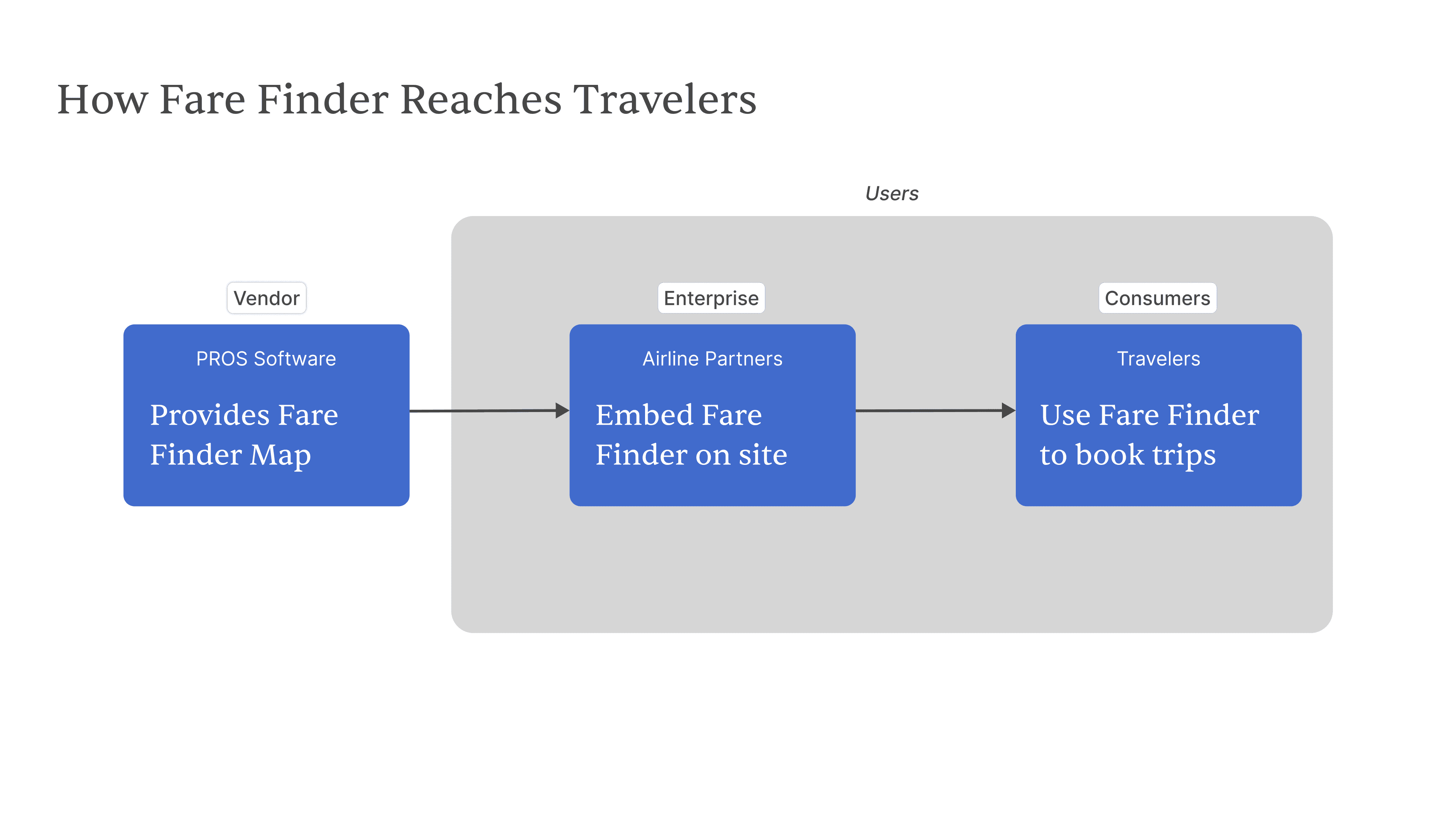
Product Ecosystem
Enterprise
Airline Partner
Goals:
✦ Increase direct bookings
✦ Present a delightful experience
Consumers
Traveler
Goals:
✦ Explore flights while being informed
✦ Book seamlessly from the map
User Personas
RESEARCH
Attempting to use AI to speed up synthesis
Before I joined the project, usability testing had just concluded. I jumped into the analysis working 1-1 with the User Researcher, trying out FigJam's AI tools for part of the affinity mapping.
It was a good starting foundation but needed detailed review, whic\ took additional time. Looking back, this has shown me to consider this trade-off for future potential uses.
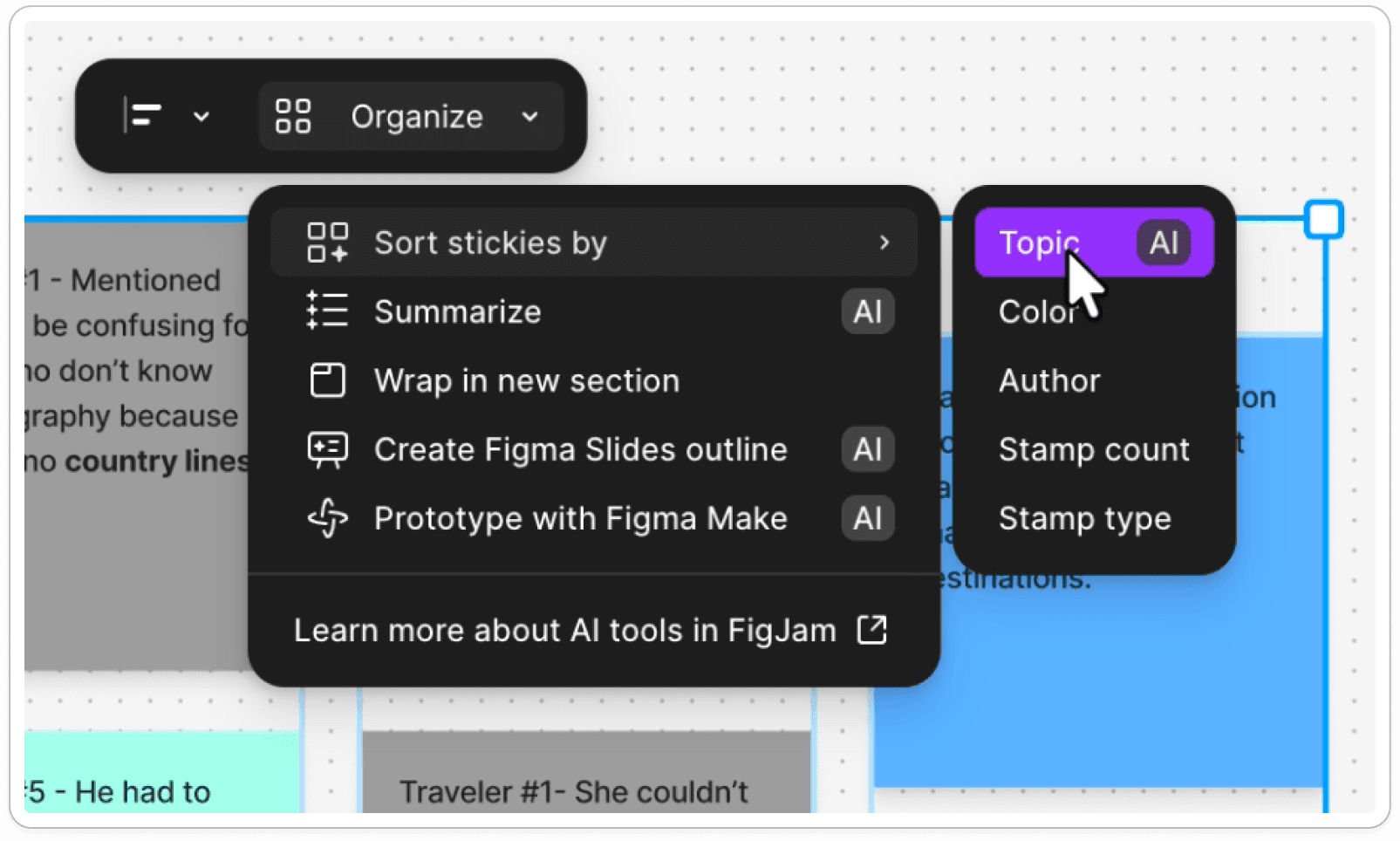
FigJam AI use in Affinity Mapping
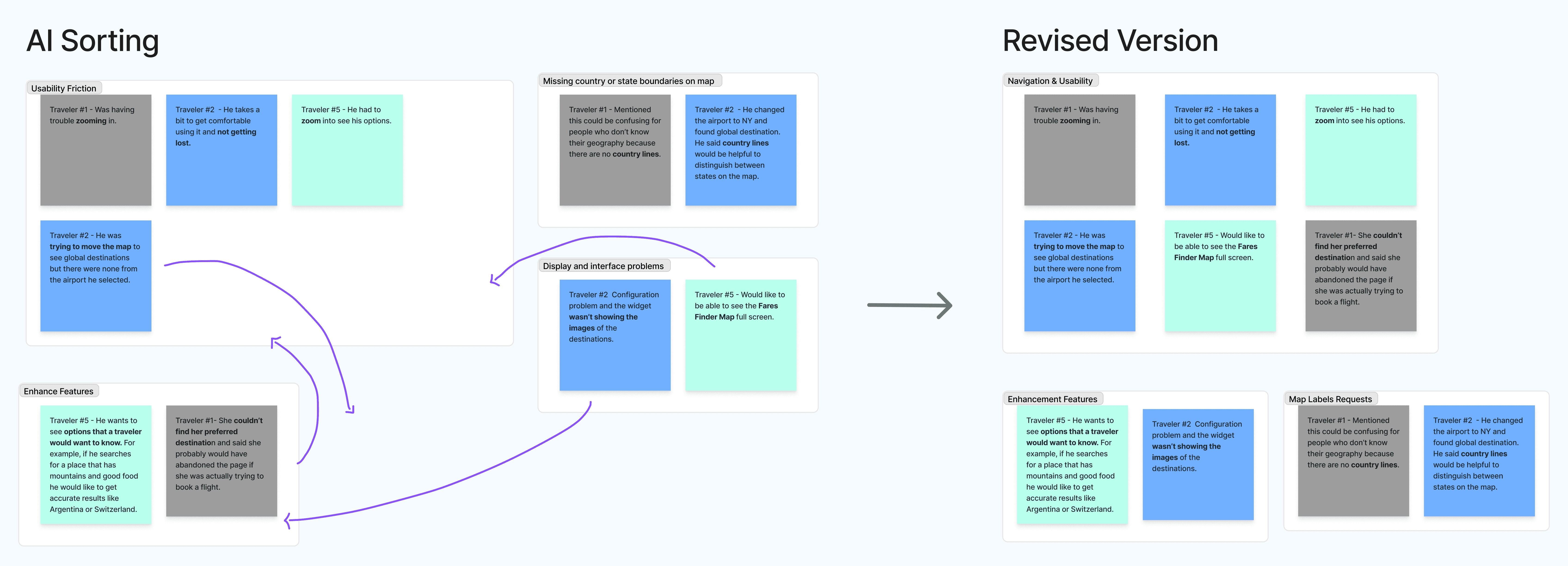
Friction Points in the Booking Experience
These main findings came from the affinity mapping exercise, pointing to where travelers were experiencing friction and what they wanted from the experience.
60%
requested for country labels and borders
80%
of travelers experienced navigation friction
40%
requested more exploratory features
This raised a few questions for the redesign: how do we balance navigation improvements with new feature requests? What is feasible and what takes priority? Why?
THE CHALLENGE (REVISED)
How might we redesign the Fare Finder Map to make flight exploration more intuitive, personalized, and informative?
COMPETITIVE ANALYSIS
Booking Features Across the Market
To answer these questions, I looked at how competitors and adjacent platforms like hotels and vacation rentals were already solving this. Booking experiences with maps aren't new.
These features shared a common goal: helping travelers explore their options intuitively and book with as little effort as possible, all while keeping them informed.
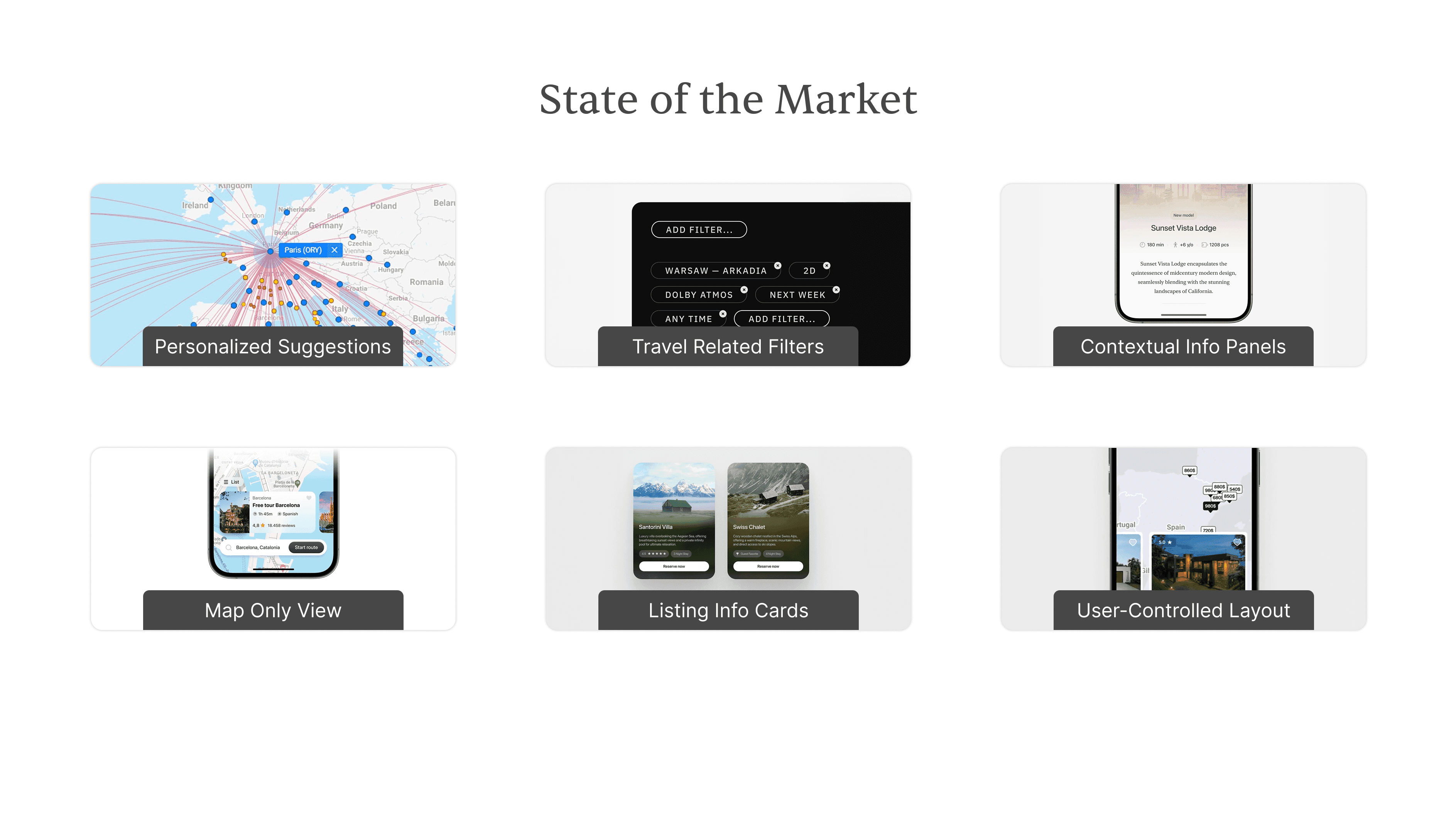
The Potential of Fare Finder
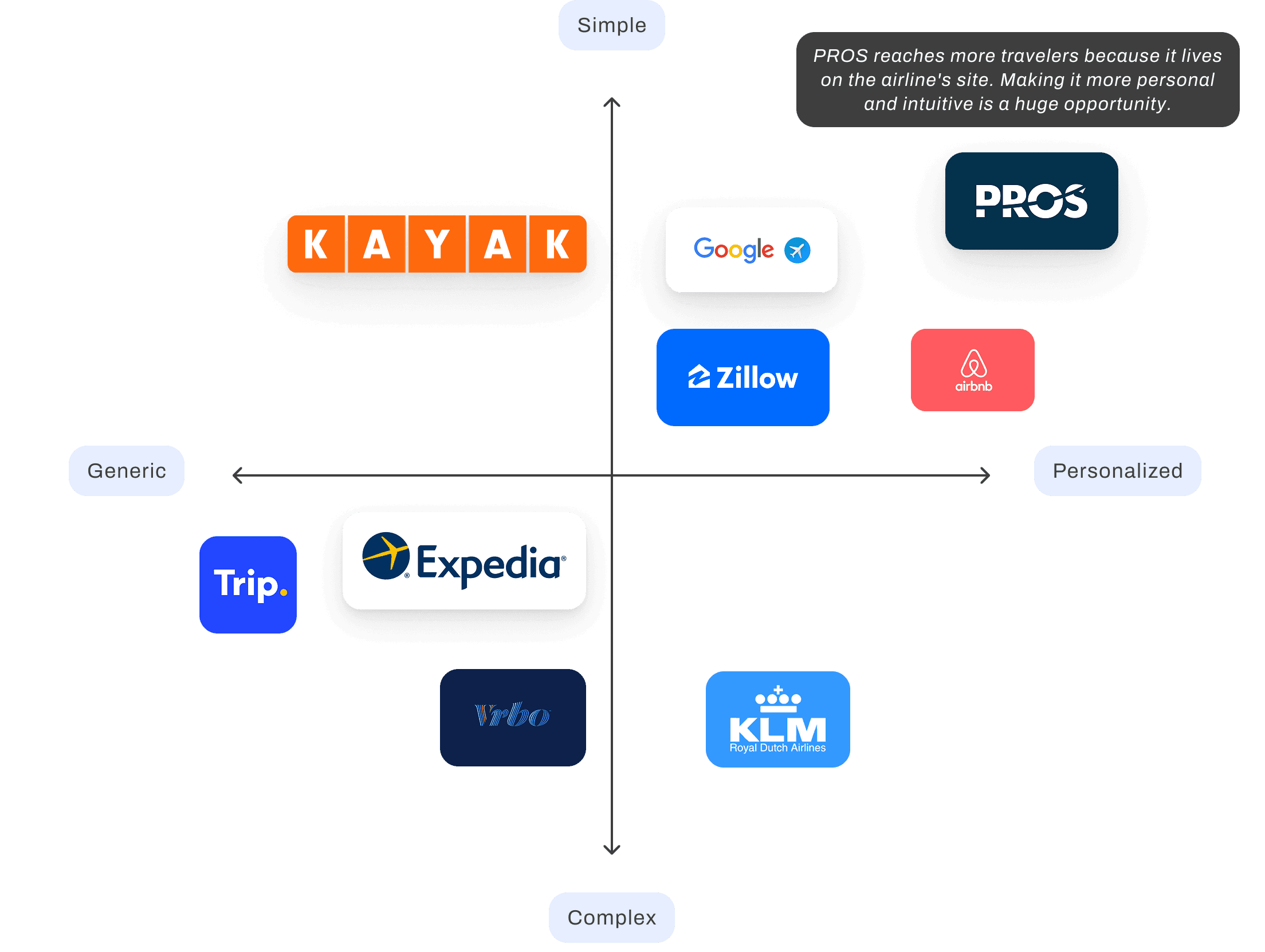
I mapped what I found in a competitive analysis and 2x2 to understand where Fare Finder fit into the landscape and where the opportunity was.
PROS reaches more travelers than any platform here because it lives directly on the airline's site. Making it more personal and intuitive is a huge opportunity that could directly drive more bookings on airline sites.
4.
Development
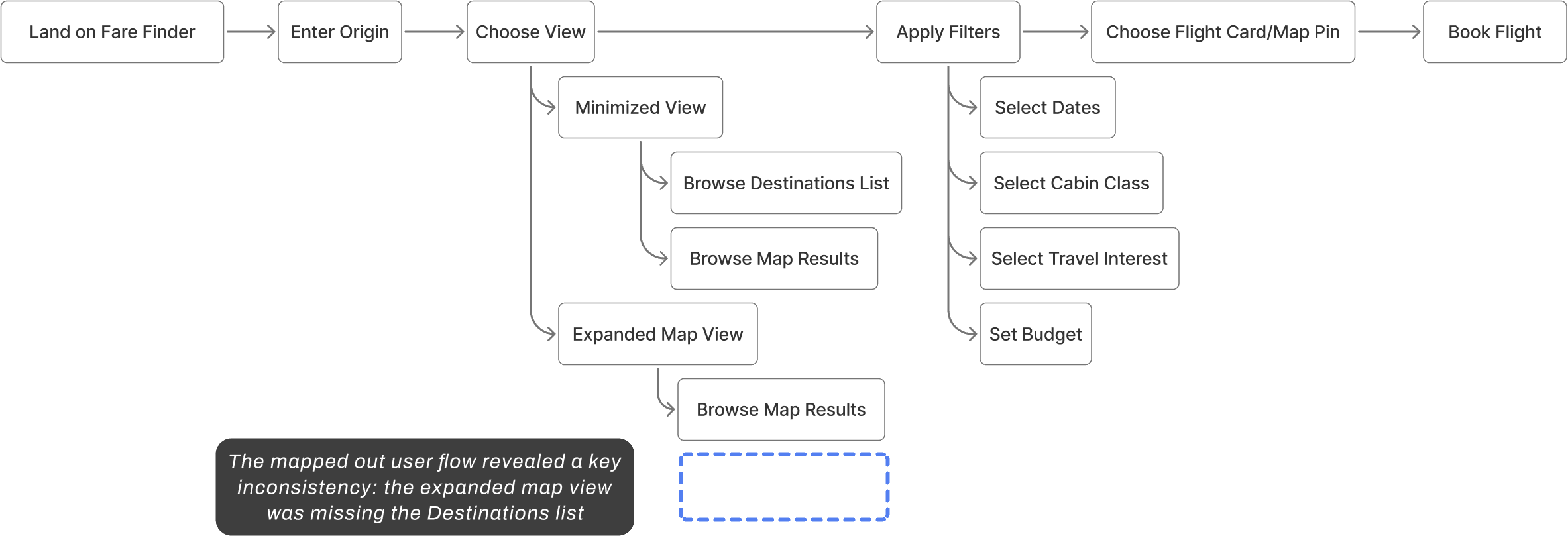
I created a user flow for Fare Finder from the perspective of somebody wanting to book a flight, choose a map view, and apply filters. The mapped out user flow revealed a key inconsistency: personalized destinations were only available in the minimized view.
Expanding to the full map meant losing them entirely, limiting personalization at the moment when travelers were most actively exploring.
Global Audience = Global Constraints
Fare Finder would be featured on global airline sites, so standardizing the map across regions was essential.
Travelers requested border lines and country labels for orientation, so I brought a mockup to my PM and UX Engineer. Although feasible technically, standardizing borders for a global audience wasn't possible due to differing perceptions of regions and territories.
This pushed me to think: if border lines and labels weren't an option, how else could the design orient travelers without relying on them?
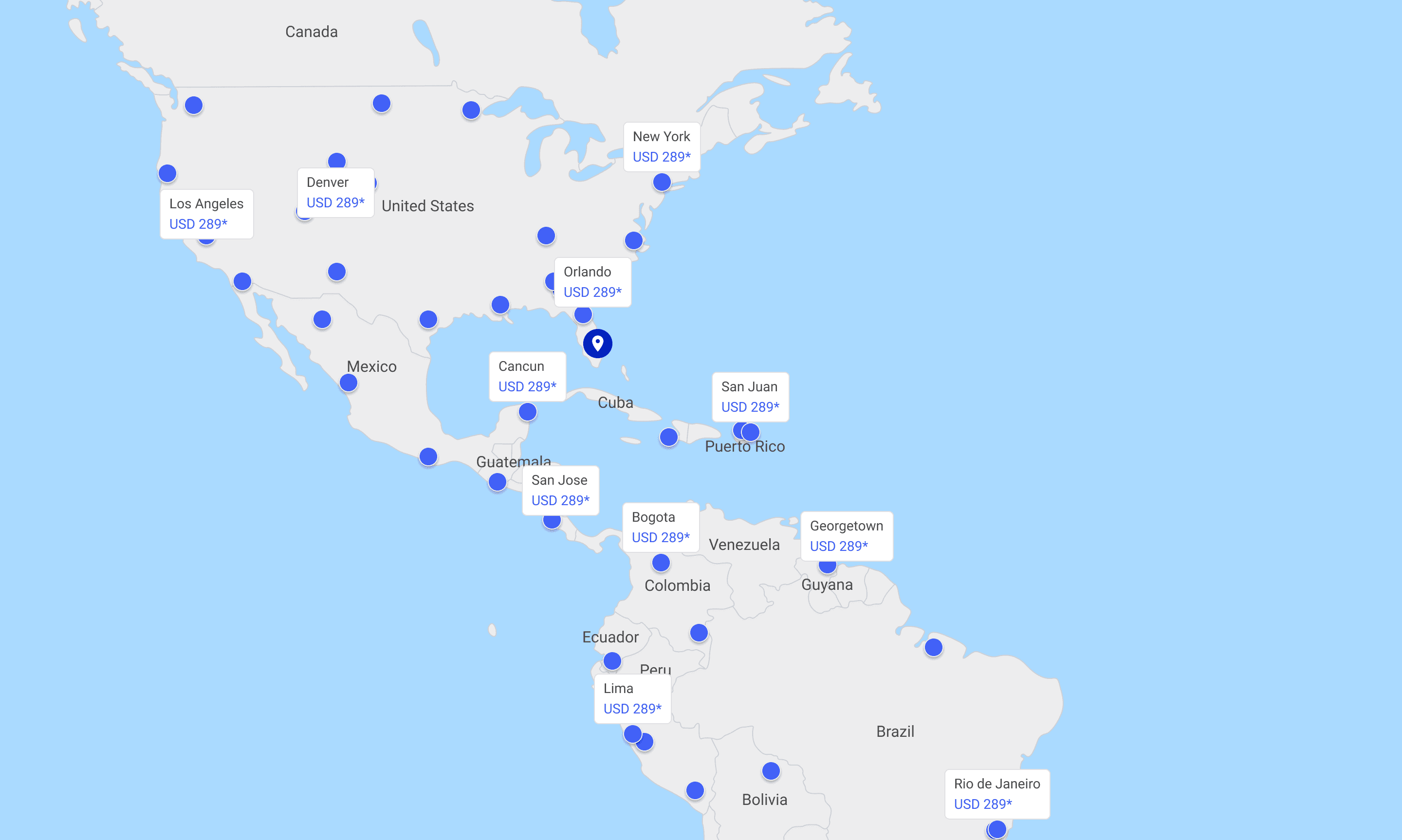
Scrapped mockup exploring border lines and country labels for user orientation.
WIREFRAME TESTS
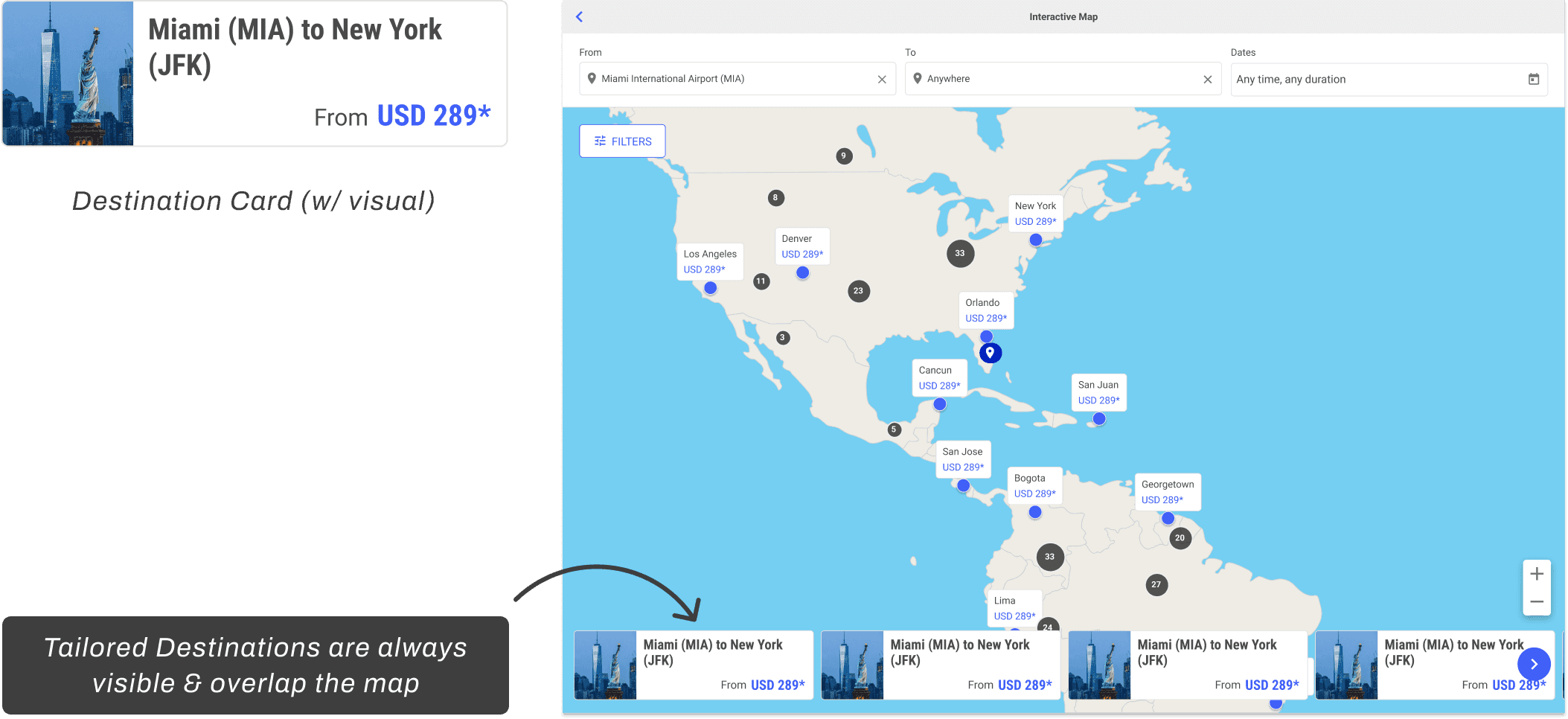
Destinations
What if tailored destinations could be accessed at all times?
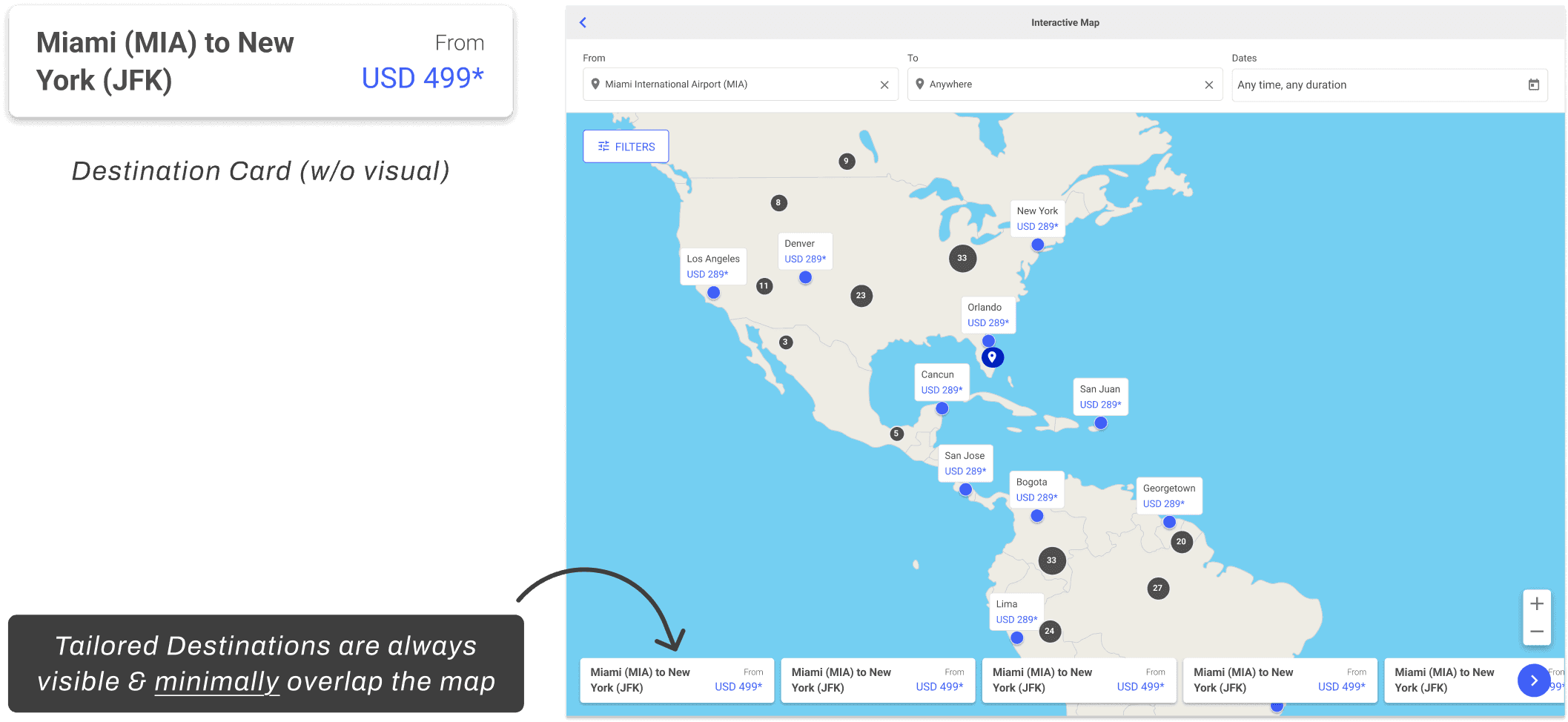
WIREFRAME TESTS
Entry Point
How might the entry point support users who don't yet have a destination in mind?
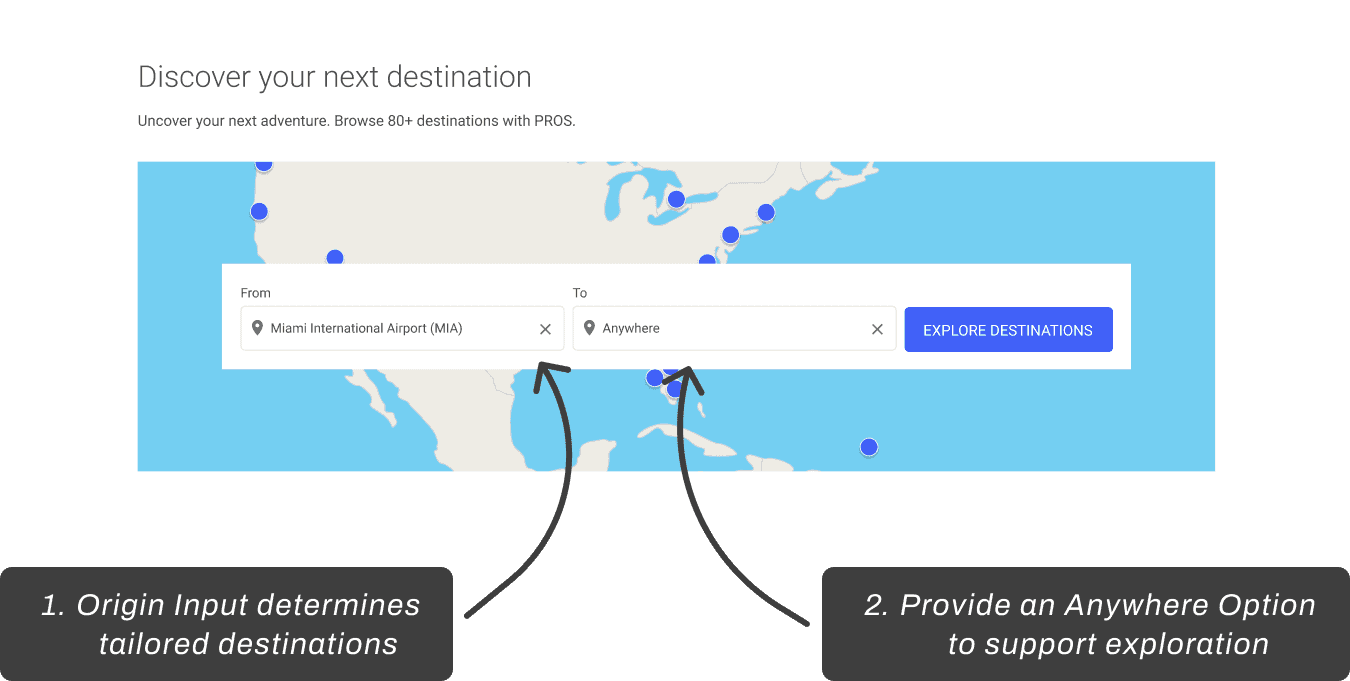
New Default Starting Screen
Narrowing Layout w/ External Testing
After testing with airline partners, the Entry Point was validated. However, there were requests for more travel-centered visual options beyond the map background image.
The Destinations layout concepts were scrapped entirely. The final design chosen gives travelers control over what they see on the screen. Personalized destinations, flight card details, and filters are all elements they can show and hide throughout their booking experience.
AI in the Design Process
DESIGN & AI
Flexible Dates
How might we help travelers who don't have a destination in mind yet open up their options by exploring flights with flexible availability?
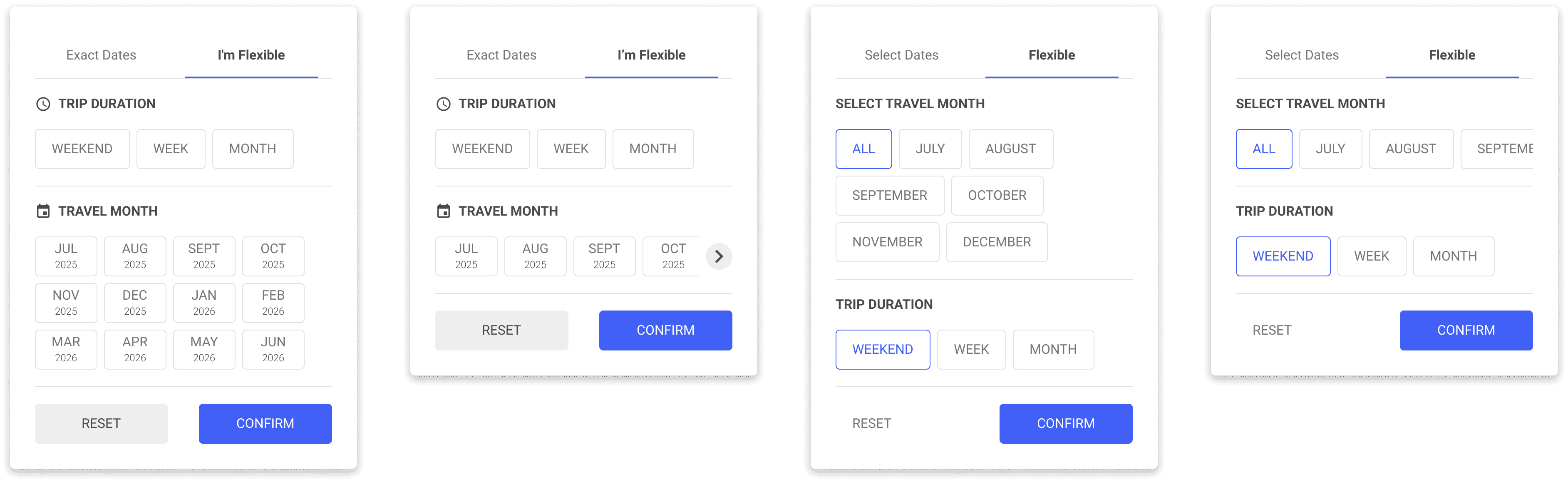
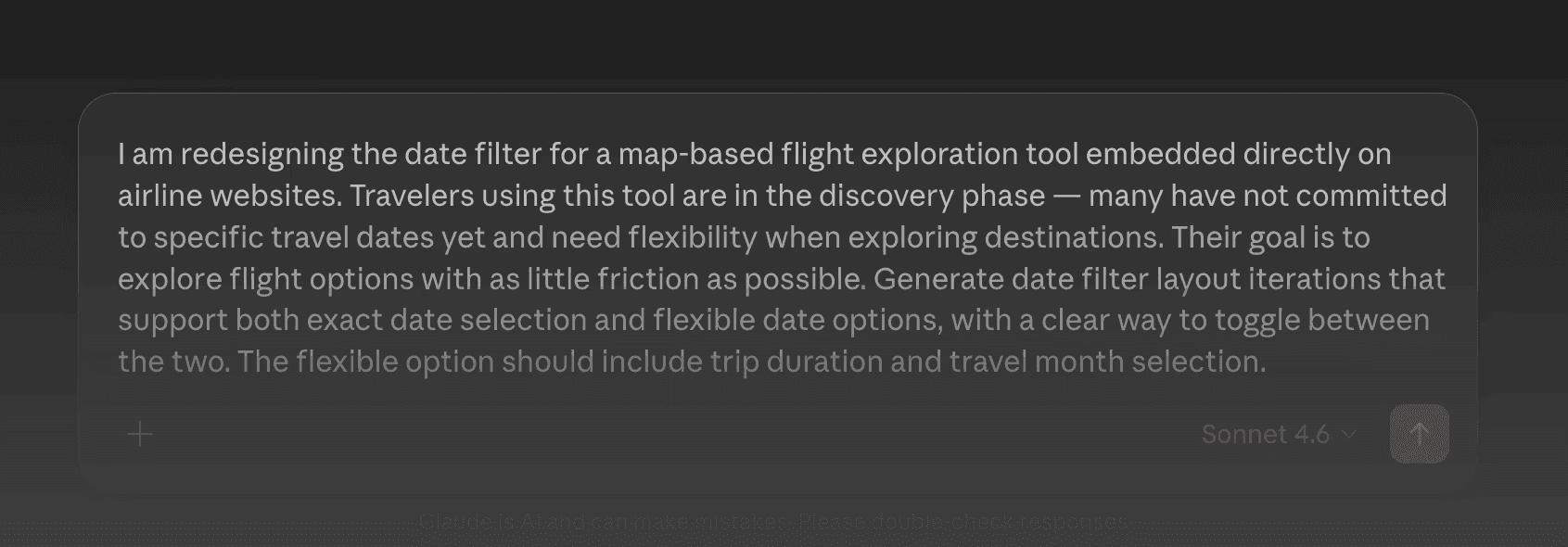
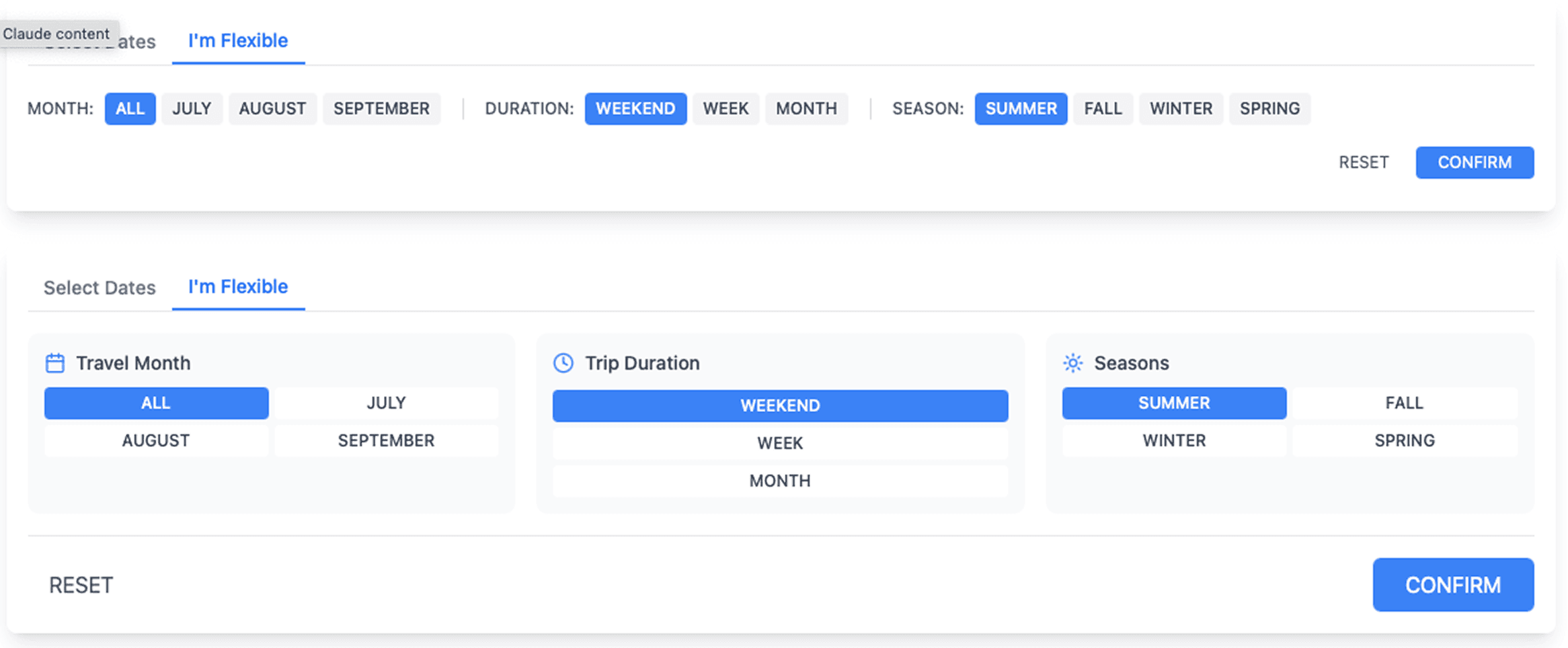
The AI-generated designs were useful for getting ideas on the page, but they were more foundational than innovative. The narrowing and final decisions were still mine to make.
DESIGN & AI
Card Layout
How might we give travelers the destination context they need to feel confident enough to book directly from the map?
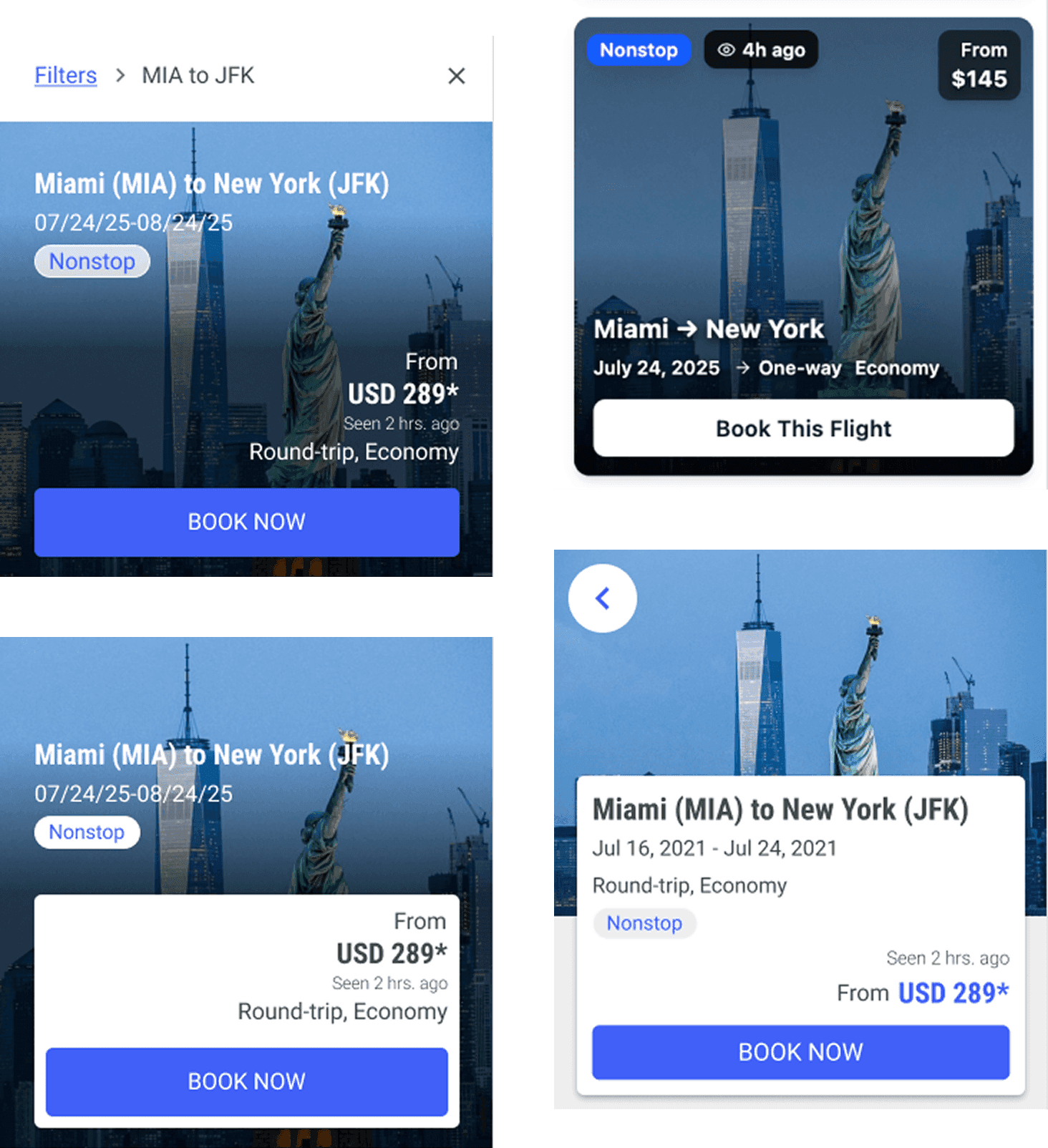
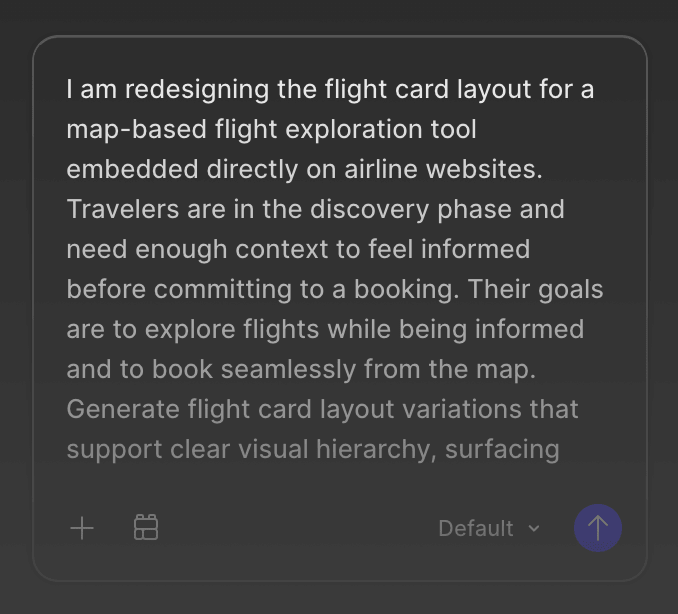
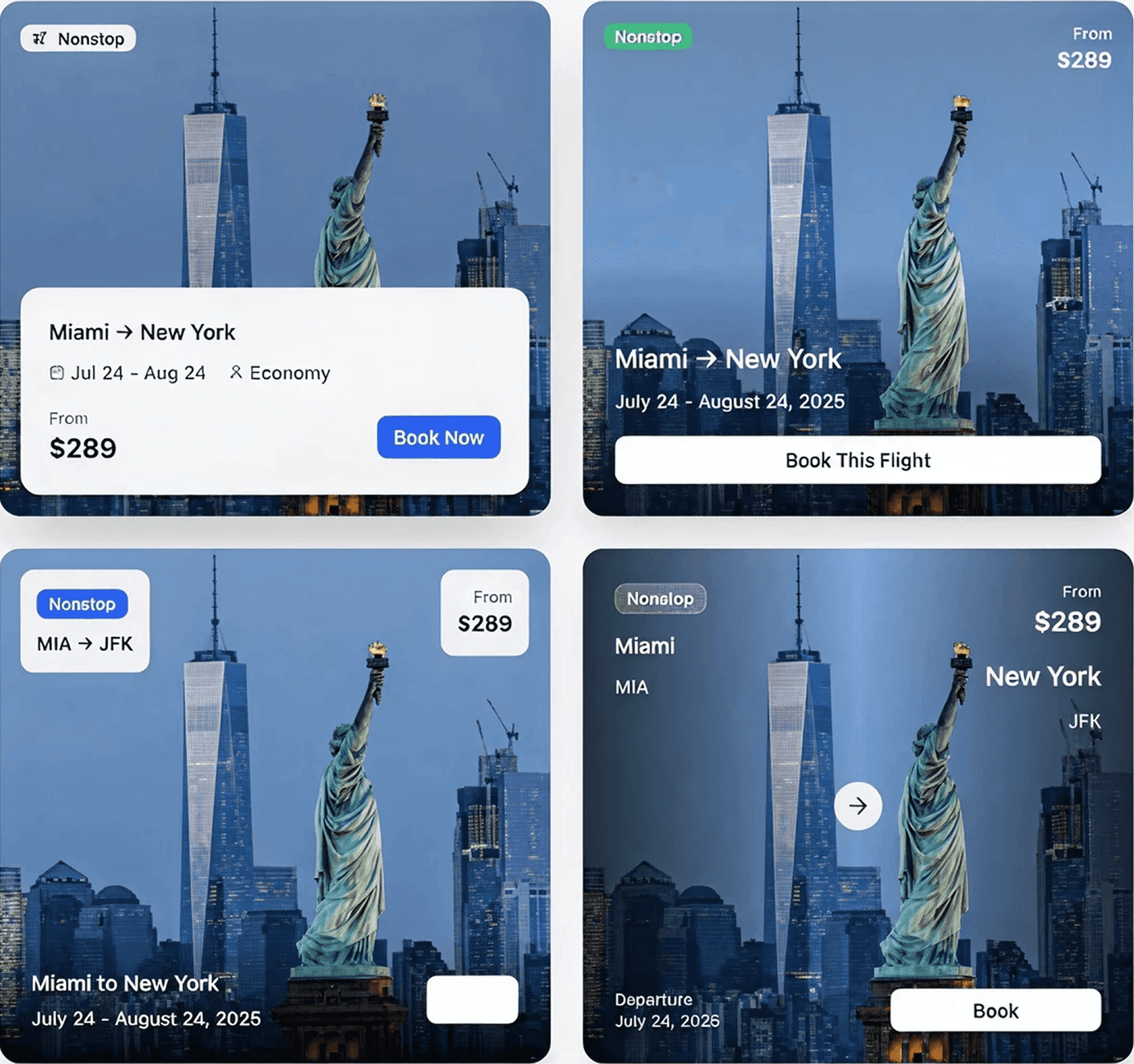
Figma Make produced more realistic results but still needed careful evaluation. It sparked ideas while reinforcing that AI output should always be questioned.
5.
Solution
A breakdown of the features in the redesigned Fare Finder that helps travelers explore and book with confidence.
1.
Focused Entry
The entry point for Fare Finder was redefined. We wanted travelers to have a clear and focused starting point, so the destination is set to Anywhere by default to encourage exploration from the start.
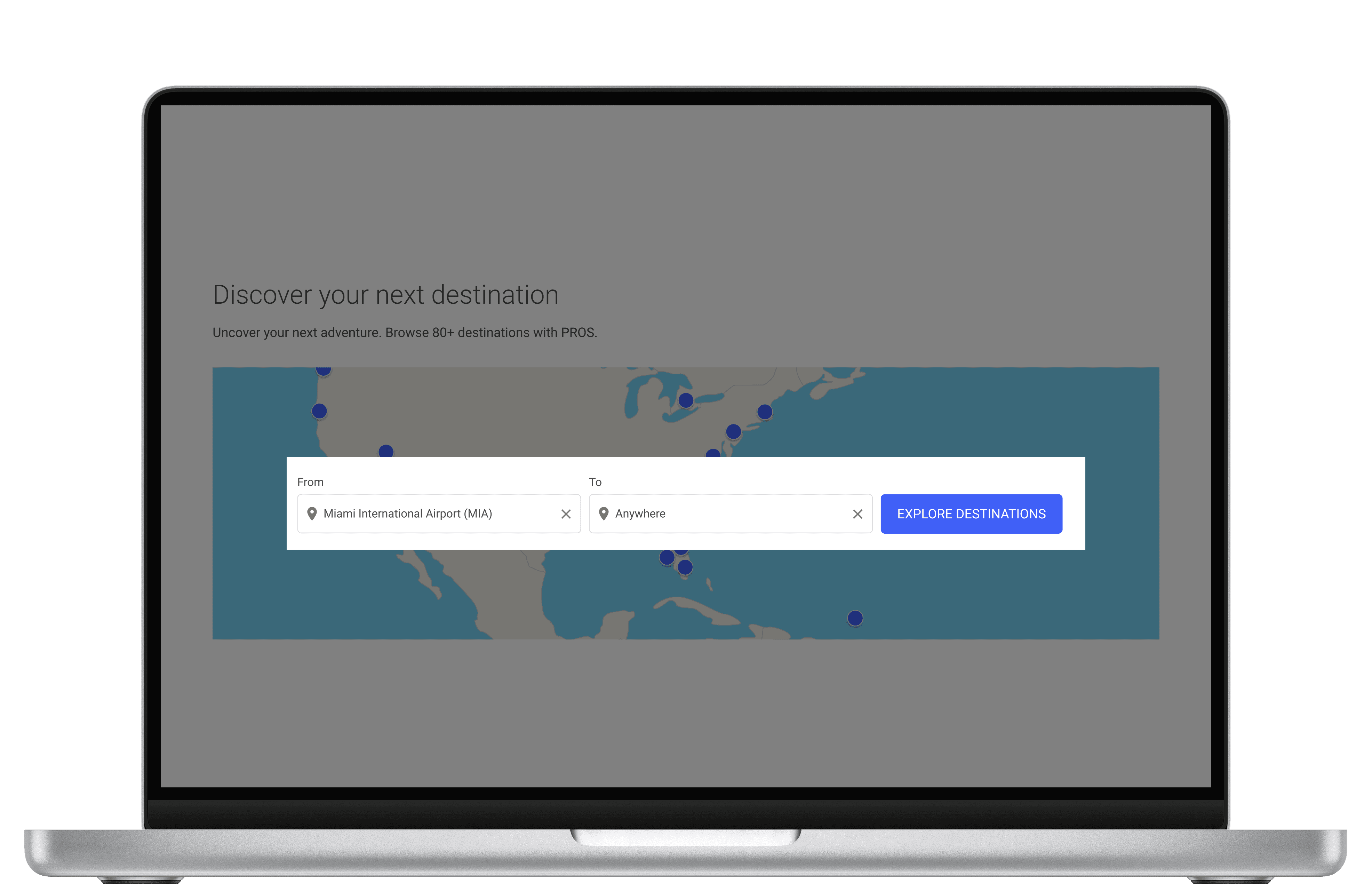
New Default Starting Screen
2.
Flexible Dates
We wanted to remove another barrier to exploration. Flexible Dates lets travelers search by trip duration and travel month instead of committing to specific dates, reducing the pressure to have everything figured out before users start exploring.
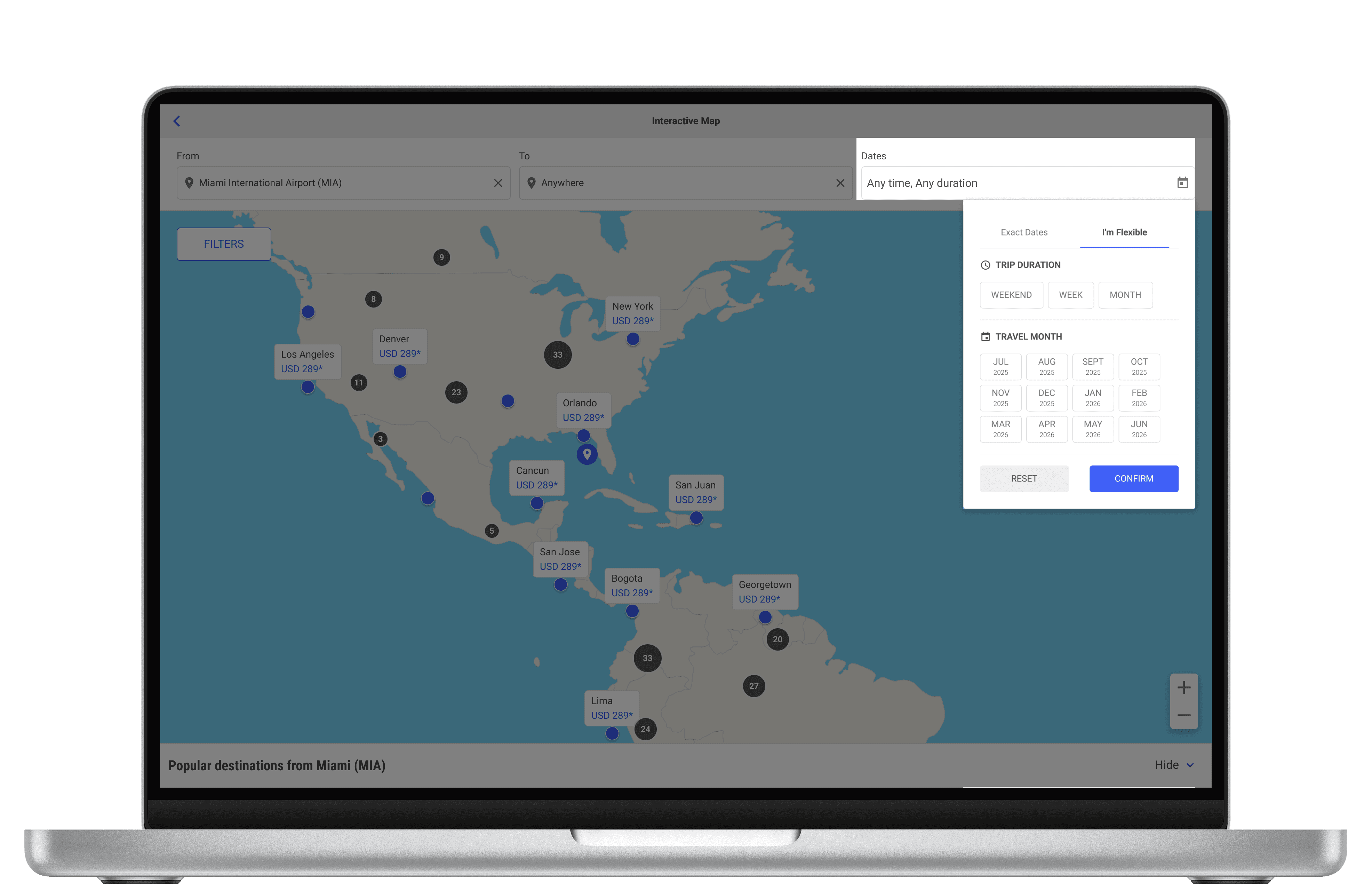
Flexible Dates Component
3.
Filter Panel
The filter panel expands on the original filters by adding Travel Interests. Instead of starting with a destination, travelers can explore by what they want to experience.
The panel can also be shown or hidden, giving travelers control over what they see on the map.
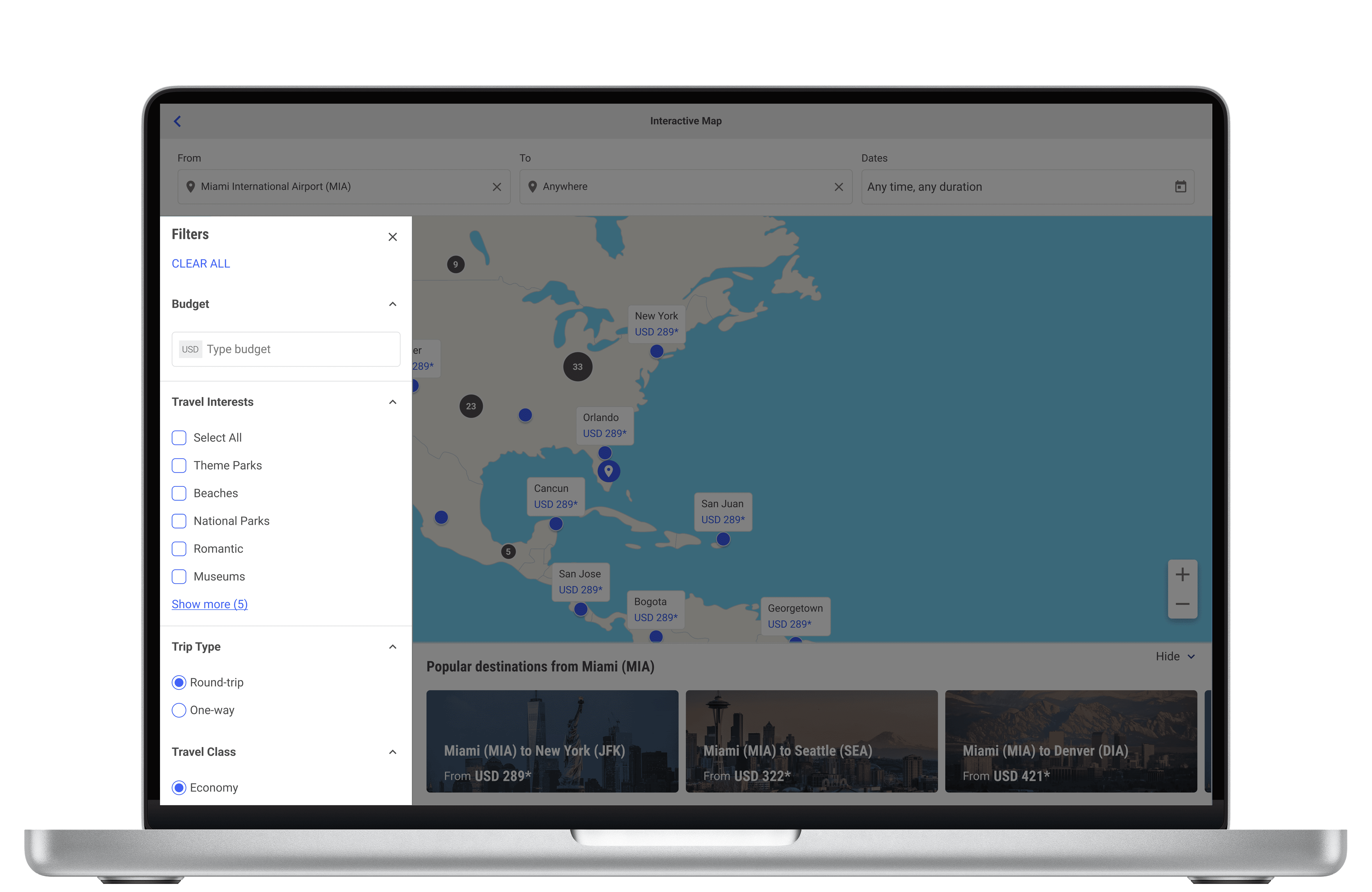
Collapsable Filter Panel w/ Travel Interests embedded in
4.
Flight Fare Card + Quick Facts
For travelers who are still exploring, the right context at the right moment is what moves them from browsing to booking. The redesigned fare card and Quick Facts bring that directly into the map.
When a traveler selects a flight, the fare card shows destination photos, price, and trip type. Quick Facts fill in the supporting details like cheapest month to fly, average price, time zones, and nearby airports. All without leaving the map, right when it matters most.
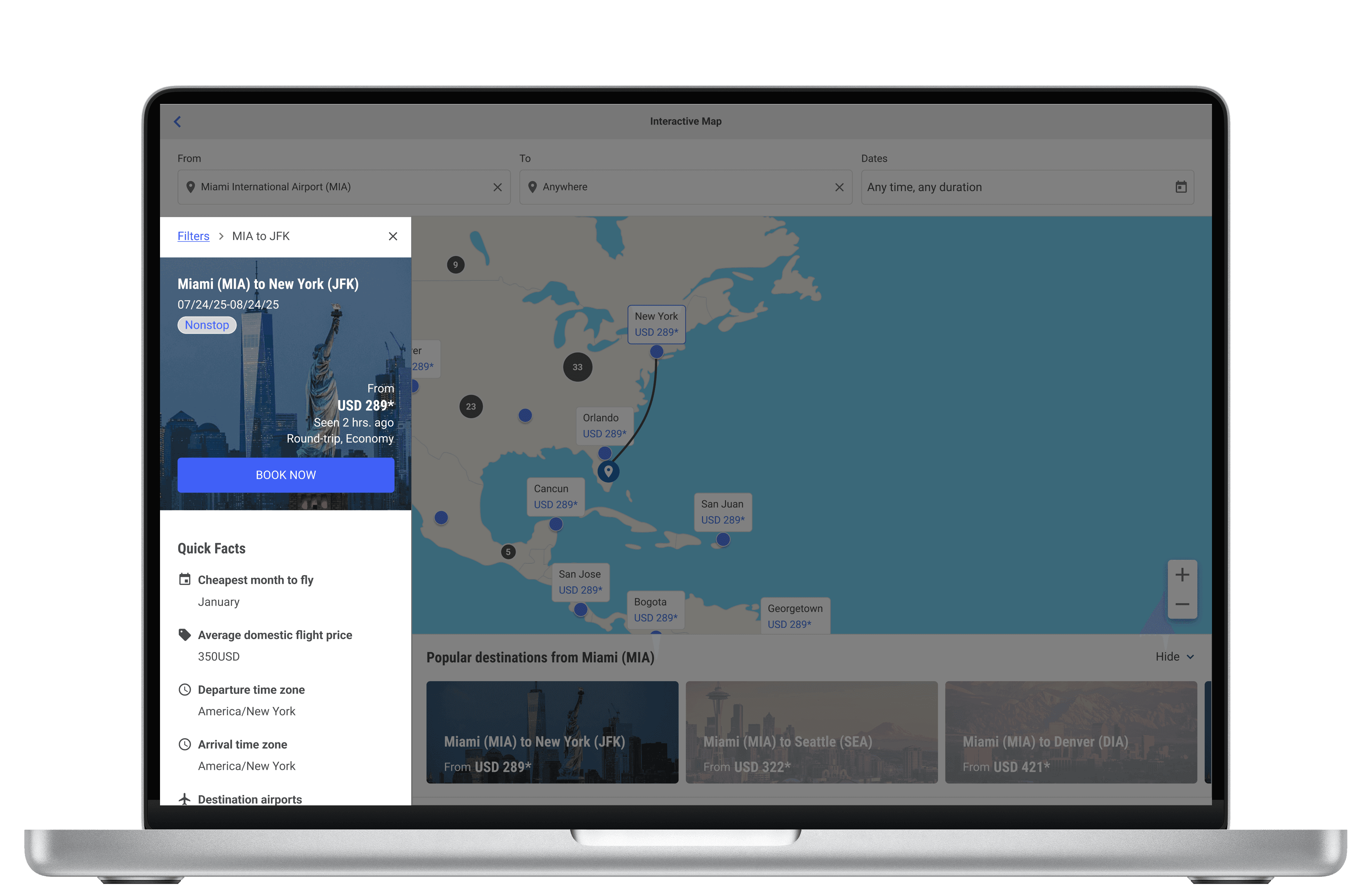
Expanded flight card and quick facts panel
5.
Tailored Flight Recommendations
Personalized destination recommendations were missing from the original map view. Now they live in a collapsible panel at the bottom of the screen, giving travelers tailored suggestions based on their origin.
This keeps the map open and uninterrupted while still giving travelers a starting point to begin their search or a set of options to compare when they are ready.
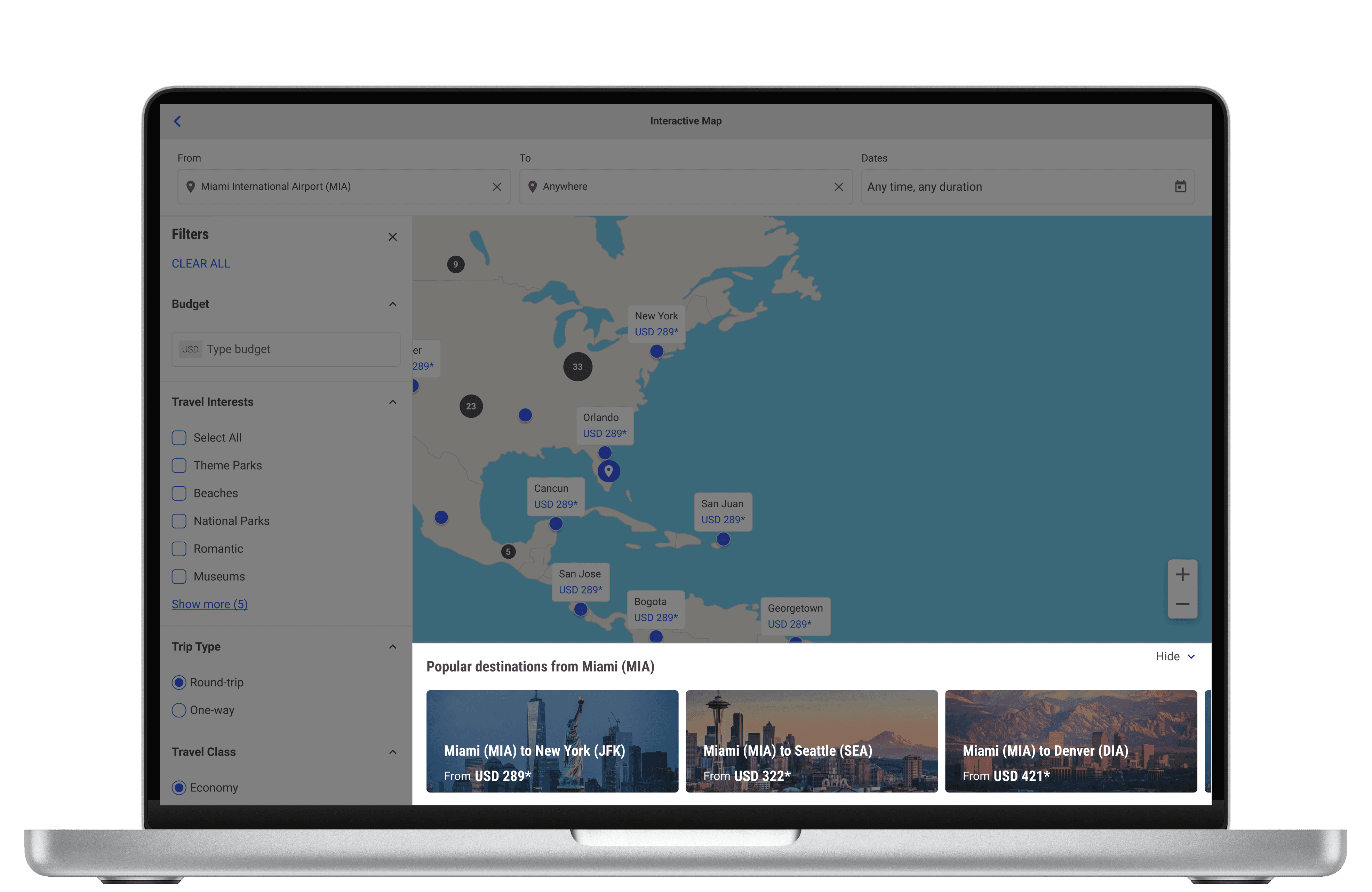
Personalized Destinations dependent on Origin Input
IMPACT
How Fare Finder changed the booking experience
By the time these features were defined and validated by airline partners, my internship ended before usability testing could be completed.
Looking back, if I had more time, the one thing I would have done differently was request and plan for more end consumer testing with the PM and User Researcher. Although our direct users were airline partners, Fare Finder ultimately reaches travelers and their input would have been valuable.
The new Fare Finder shipped in January 2026. The following is the impact it had and direct feedback from our airline partners:
after handoff, Fare Finder went live
decrease in map abandonment
increase in direct bookings
"This is a direction that gives travelers the necessary context and control of their own experience."
Airline Partner (name withheld per NDA)
"This redefines the experience to be much more exploratory with fewer barriers for entry and support tools."
Airline Partner (name withheld per NDA)
5.
Reflection
What I'd carry forward from a summer of designing for exploration
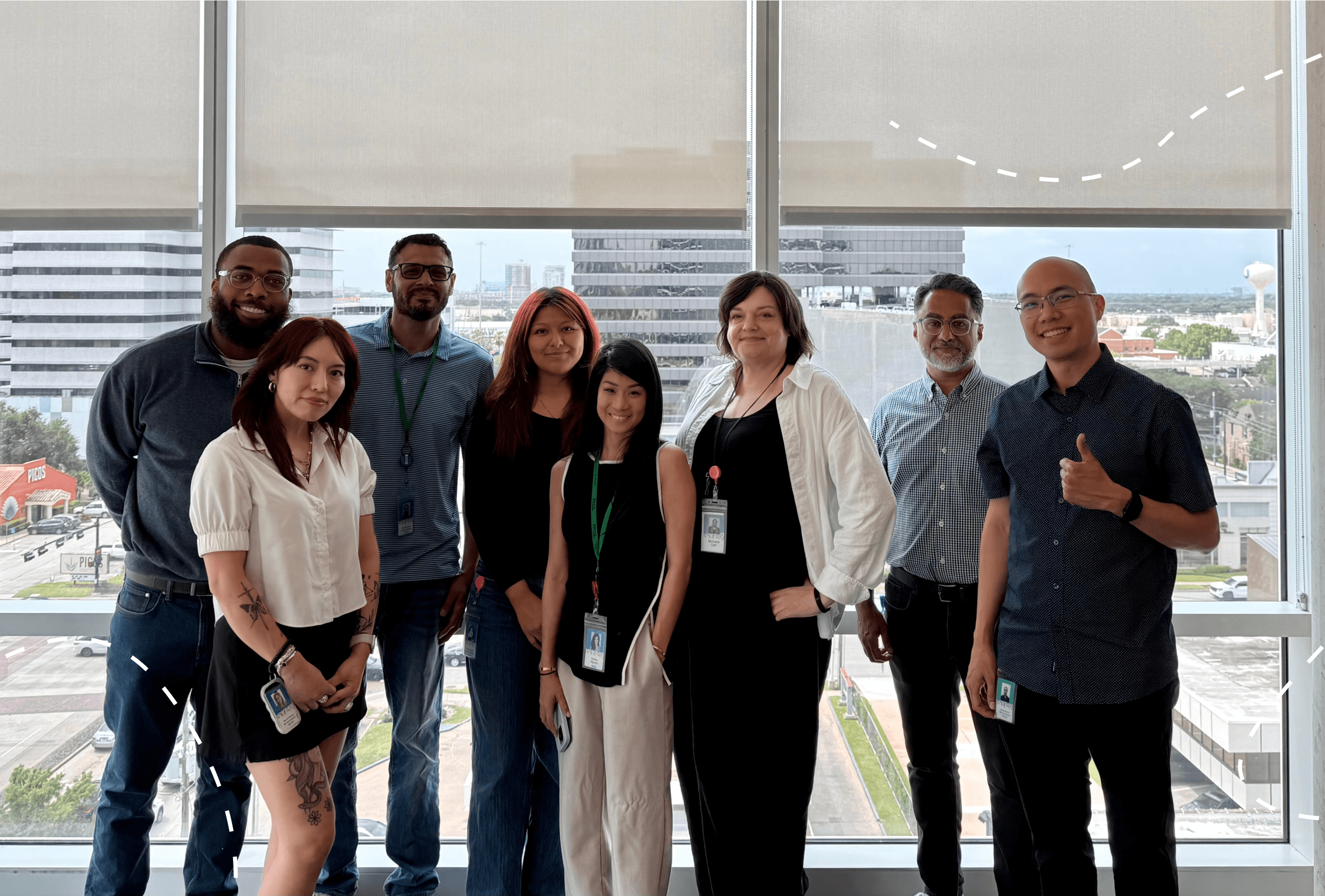
PROS UX Design team
Interning at PROS put me in situations I hadn't navigated before. Designing inside a live product used by airlines, working within a B2B2C model for the first time, and learning to balance the distinct needs of airline partners and travelers. That discomfort pushed me to be a more holistic and adaptable designer.
I also got the chance to use tools like Figma Make and Claude to build out design layouts quickly prompting moments of discussion and revisions. Presenting those layouts to PMs, Engineers, and Designers also taught me to tailor my visuals and storytelling to the audience.
I'm so grateful to the PROS UX design team for their mentorship, the conversations that shaped my thinking, and for a memorable summer!